
How it works
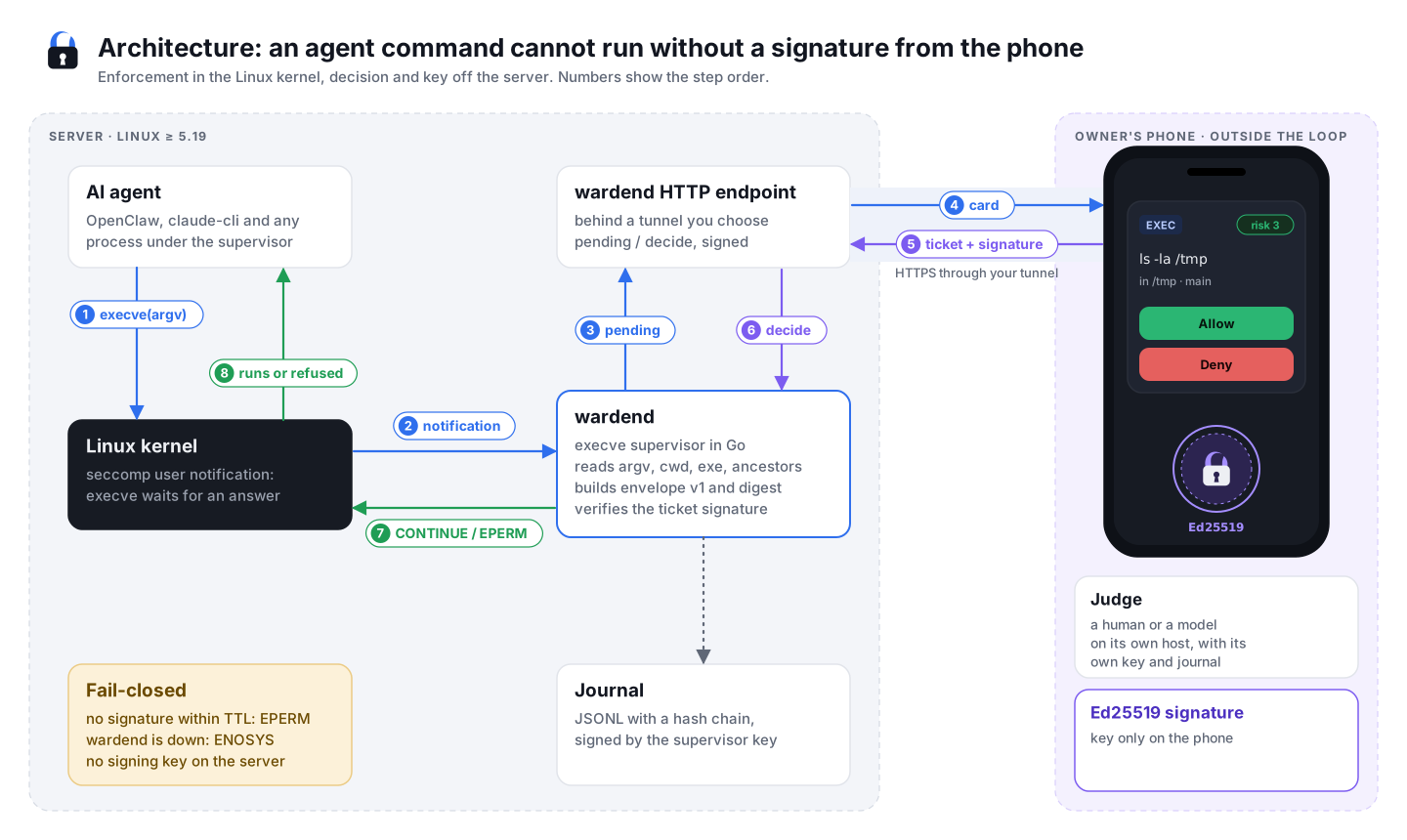
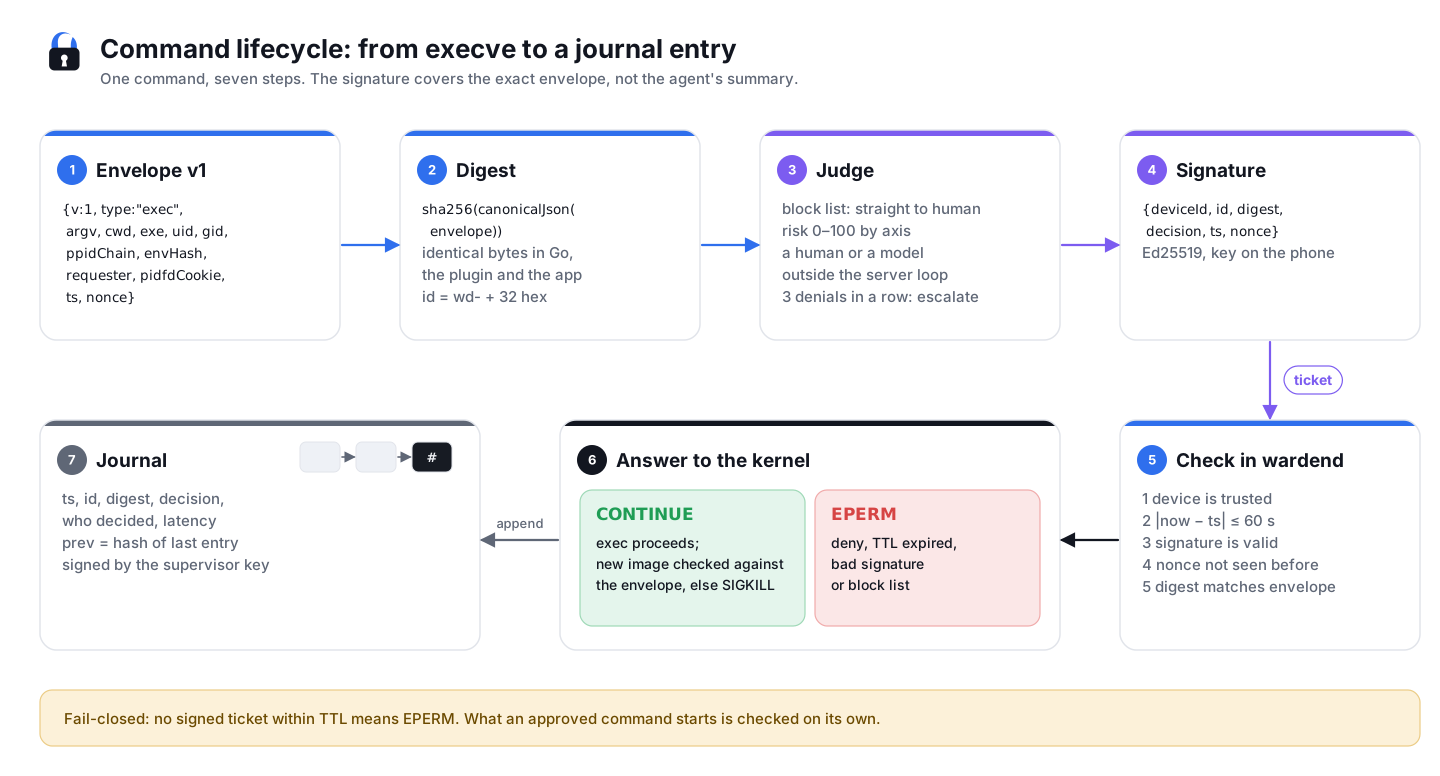
The short version is on the home page: the kernel stops every program the agent starts, wardend checks it against the rules, and a command that trips one waits for a signature from your phone. Here are the two detailed diagrams.
Architecture
The life of one command
Two cards for one action
With the OpenClaw plugin and wardend both on, one command of the agent can bring two cards. The plugin asks at the gateway level, about the tool call before OpenClaw runs it. wardend asks at the OS level, about the program the call starts, when that program trips a rule. This is not an error: each layer signs what it sees. In the plugin’s observe mode its card holds nothing back; in enforce the command runs only when both cards are allowed.
To get one card per command, leave the commands to wardend: in the plugin’s config (plugins.entries["wardenclaw-gate"].config in ~/.openclaw/openclaw.json) set tools to the default list without exec and Bash:
"tools": ["process", "write", "edit", "apply_patch", "code_mode_exec", "Write", "Edit", "MultiEdit", "NotebookEdit"]Then a command gets a card only when it trips a wardend rule, and the plugin still asks about file writes and edits, which wardend doesn’t gate. Do this only when the gateway runs under wardend, or the agent’s commands will run with no card at all. Showing the two cards as one action is on the roadmap.
Read on
- Which commands need a signature and how the rules work: CLI reference.
- Who can attack this and what stops them: Threat model.
- Why the model can’t simply turn wardend off: Why the model can’t turn it off.